
What do you need help with?
We help with Windows PCs and Macs. You do not need to know the technical name. Choose the description closest to what is happening.
My computer won't start
A blank screen, a laptop that will not charge, or Windows stuck loading. Start by telling us what happens when you press the power button.
My computer is slow
Long waits, freezing and apps that struggle to open. We can help work out whether the cause is software, storage or ageing hardware.
My Wi-Fi keeps dropping out
Poor coverage, unreliable connections or devices that will not connect. We help separate a home network problem from an internet connection problem.
Something looks suspicious
Unexpected pop-ups, a worrying message or someone asking to access your computer. Get help checking what happened and planning the next step.
I need my files back
Missing documents, an unreadable drive or a backup you cannot restore. Tell us what is missing and where it was stored so we can discuss the options.
My business needs IT help
Workstations, shared printers, servers, hosting and IP CCTV. Get practical help with a fault or plan how your business systems will work together.
Repairs, setup and business systems
IP CCTV and camera networks
Get help with camera connections, recording, storage and viewing on your devices.
Servers and hosting
Set up or troubleshoot servers, shared storage, hosted systems and backups.
Onsite computer repair
Someone come to your house for a computer that will not start, runs slowly, or needs hands-on help.
Onsite business IT support
Arrange hands-on help for workstations, printers and networks, including alongside your existing IT provider.
Office moves and IT setup
Plan your computers, connections and shared equipment before moving or changing your workspace.
Laptop repairs
Find the next step for a laptop that will not charge, runs slowly or has a blank screen.
Mac repairs
Sort out a slow or full Mac, startup trouble, stuck macOS updates or a move to a new Mac, with your files protected first.
Virus and malware removal
Check a computer for viruses, scam software and unwanted remote access, and keep your files safe while it is cleaned up.
Data recovery
Get files back from a failed hard drive, SSD, USB stick or memory card, with an honest assessment before any attempt.
Computer upgrades
Work out whether more memory, new storage or a replacement computer is the right choice.
New computer setup
Move your files, email, printers and software to a new computer and check your backups.
Printers and scanners
Sort out offline printers, scanning, network connections and shared access.
Home networks and Wi-Fi
Improve coverage and device connections, with advice on routers, mesh systems and your existing network.
Electronics repair enquiries
Tell us the device, damage or fault so we can discuss whether a repair assessment is suitable.
Read our computer help guides for checklists and advice before booking.

Thinking about Linux?
Keep working, try a new desktop or build a Linux gaming setup. Start with your hardware and the apps you need.
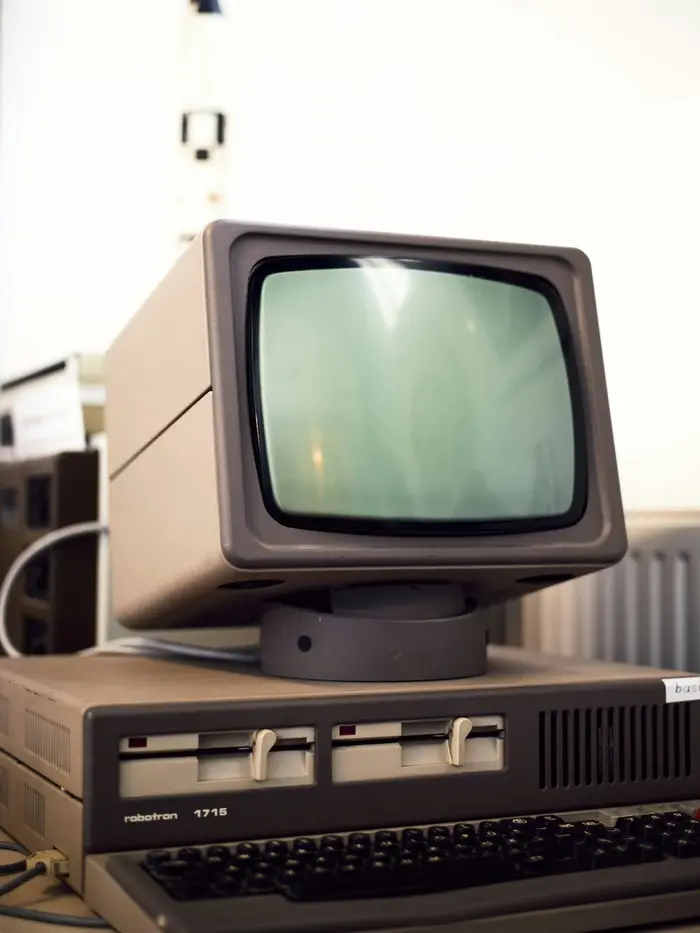
Keep your old favourites alive
Old computers, original games and files you cannot replace deserve a careful plan.
Something else?
Ask about electronics repairs, upgrades or a system that needs a different approach. Describe the equipment and the result you need. We do not repair white goods. Questions about hours, visits or quotes? See our common questions.
Get a quote before we start
Every job is quoted individually. Tell us what needs fixing and we will discuss the options and cost before you go ahead. See how a job works.
Same-day, next-day and urgent call-outs available. Travel fees may apply for locations more than one hour from Perth CBD. Confirm the scope and total cost before work starts.